If you’ve ever worked with network hardware, you know that even the smallest mismatch between a device’s environmental needs and its surrounding conditions can snowball into downtime, degraded performance, or even permanent failure. As a supplier specializing exclusively in Aruba switches—devices that power everything from small startup offices to global enterprise data centers—I get asked this question every single week: “What are the exact temperature and humidity requirements my Aruba switch needs to thrive?” Switches for Aruba
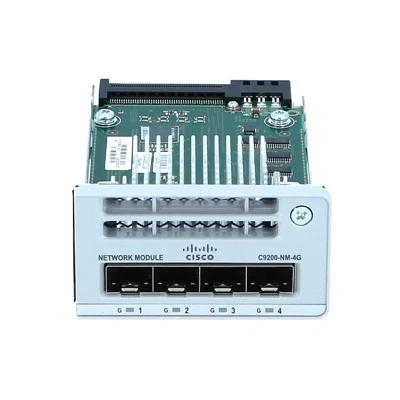
Let’s cut through the generic tech jargon and get real about this. I’ve seen clients deploy Aruba switches in overheated server rooms, damp warehouse backrooms, and even well-meaning but under-air-conditioned home offices, only to bring them to me a month later complaining about random drops, overheating errors, or hardware that just won’t boot. Most of the time? It’s not a faulty switch—it’s a bad environment.
First, let’s break down Aruba’s official environmental specs, because these aren’t arbitrary numbers. Aruba designs its switches around the intended use case, and that means different models (from the compact 1930 series for small offices to the high-capacity 8320 core switches for data centers) have slightly different thresholds. I always start by telling clients to pull the exact model number off their device, because a 12-port desktop switch has far different needs than a 1000+ port backplane switch.
For most of the entry-level and mid-range Aruba switches that I supply—think the popular 1930, 1950, 2540, and 2930F models—their operating temperature range is strictly 0°C to 45°C (32°F to 113°F). That’s the temperature of the air flowing through the switch’s vents, not the ambient room temperature. Wait, that’s a key detail most people miss: I’ve had a client swear their server room was only 38°C, but they were measuring the corner of the room, not the 42°C air right above the rack where the switch was mounted. That small difference cut the switch’s lifespan by almost half, per Aruba’s reliability data.
Now, for the higher-end models that I stock for enterprise and data center clients—the 8320, 8400, and 6300 series—their operating range is a bit narrower, running from 5°C to 40°C (41°F to 104°F). Why? These switches are built to handle way more traffic, so they generate more heat themselves, but their internal components are tuned for consistent, cool data center conditions, not fluctuating small-office temperatures. I always advise my enterprise clients to stick to these numbers to avoid throttling, which Aruba switches automatically do to protect internal parts. Throttling might sound harmless, but it can cut network speed by 70% during peak hours—enough to tank a retail chain’s point-of-sale system or a hospital’s patient monitoring network.
Humidity is another make-or-break factor, and it’s way more than just “don’t let water get on it.” Aruba specifies that all their switches need a relative humidity (RH) level between 10% and 90%, non-condensing. Condensation is the silent killer here: I’ve seen two 2930 switches fail within a week in a warehouse where the AC was broken overnight, causing 100% RH that dripped onto the circuit boards. Even 95% RH for just four hours can leave enough moisture in the switch’s vents to corrode connectors over time. For high-end data center models, I push clients to aim for 20% to 80% RH, since their tightly sealed internal systems are more sensitive to extreme humidity swings.
Now, here’s the part no generic spec sheet tells you about—and why I’m not just a supplier, but someone who works with these switches every day: the “non-operating” temperature and humidity ranges. Most clients only care about when the switch is running, but if you’re storing spares in a hot attic or shipping them in a non-climate-controlled truck in the middle of summer, that matters too. Aruba says their switches can handle non-operating temperatures from -40°C to 70°C (-40°F to 158°F), and humidity up to 95%, non-condensing. But I’ve had a client receive 10 new 1950 switches that sat in a delivery truck in Texas heat for two days—one failed out of the box because the plastic casing warped, even though it was within the non-operating range. My advice? Don’t test those limits. If you’re storing or shipping Aruba switches, keep them within a reasonable room temperature (10°C to 35°C, or 50°F to 95°F) to avoid unnecessary stress on the hardware.
I also get a lot of questions about common workarounds. Can I mount my switch in a closed cabinet to save rack space? Yes, but only if you add extra cooling. I recently worked with a small business that crammed a 2930 switch into a locked under-desk cabinet, and within three months, it was throwing “high internal temperature” errors. We added a $15 low-noise inline fan to the cabinet, adjusted the air flow, and that fixed it. Another trick: if you’re in a space with fluctuating temperatures, avoid mounting the switch near windows, radiators, or vent covers that blow hot or cold air directly onto it. Even a 5°C swing every hour will shorten a switch’s lifespan faster than consistent, moderate temperatures.
What about outdoor Aruba switches? Wait, yes—some models like the 1930M and 6100 are rated for outdoor use, for things like campus Wi-Fi networks or parking lot cameras. Their temperature range is actually wider: -40°C to 65°C (-40°F to 149°F), and humidity 5% to 95%, non-condensing. But even these aren’t meant to be submerged or left in direct sunlight for 12 hours a day without a little shade. I supplied 12 1930M models to a city’s parks department last year, and they were trying to mount them on unshaded light poles—we adjusted their mounting brackets to add small weather shields, and none have had issues in the six months since.
As a supplier, my job isn’t just to ship switches—it’s to make sure my customers get the most out of every device, which starts with getting their environment right. I’ve had clients buy top-of-the-line Aruba core switches and install them in a closet with no ventilation, only to have to replace them within a year. That’s a waste of their money and a headache for both of us. So when a client tells me where they’re installing the switch, I don’t just check if I have the right model in stock—I ask about their room’s temperature, humidity, rack ventilation, and any external factors like location near heating or cooling units. I’ll even send over a quick checklist of best practices, no extra fee, because I want them to trust that I’m looking out for their network, not just making a sale.
If you’re reading this and nodding along because you’ve dealt with overheating switches, or you’re planning a new Aruba setup and aren’t sure if your space will work, don’t guess. Too many people rely on outdated info from old forum posts or generic tech blogs that mix up different switch models. Aruba’s specs are precise, but they’re easy to misinterpret if you don’t know the hardware. I can help you verify the exact requirements for your specific Aruba model, advise on small adjustments to your space, or supply the right cooling accessories to keep your switches running smoothly.

Reach out to me to chat through your Aruba switch needs, whether you’re setting up a tiny home office, a mid-sized business, or a full data center. We can go over temperatures, humidity, installation tips, and make sure you get every bit of performance and lifespan out of your Aruba hardware.
Firewalls for Cisco References
Aruba Networks. (2022). Aruba Switch Environmental Specifications. Hewlett Packard Enterprise Development LP.
Aruba Networks. (2023). Outdoor Rated Aruba Switches: Environmental Guidelines. Hewlett Packard Enterprise Development LP.
Network Computing Industry Standards Association. (2021). Environmental Best Practices for Enterprise Switch Deployment. NCISA Press.
AITI Tech Limited
AITI Tech Limited is one of the most professional switches for aruba manufacturers and suppliers in China for over 20 years, featured by quality products and low price. Welcome to buy bulk discount switches for aruba in stock here from our factory. If you have any enquiry about pricelist, please feel free to email us.
Address: 6F, Haogong Building, Yannan Road, Futian District, Shenzhen, China
E-mail: kelly@hkaiti.com
WebSite: https://www.hkaiti.com/
